Chapter 5 · Modalities · 8 min read
On this page15
Voice and modalities
Typing is the slow path. The fastest builders feed Claude their voice, their screen, and the screenshot of the thing they were just looking at — usually all in one prompt. This chapter is how to do that without gimmicks.
You learned to iterate text in the previous chapter. Here you expand the input side: voice on every surface that has it, multimodal context (screenshots, image paste, drag-drop) as a first-class signal, and the small prompting shifts that make voice prompts land as well as typed ones.
When voice beats typing
A typed prompt is a sentence you composed. A voice prompt is a thought you spoke. The two have different shapes, and different jobs.
Voice wins when:
- You're describing what you see — an error on screen, a UI shape, a diagram on a whiteboard
- You're mid-flow on something else and don't want to break to compose a paragraph
- The thought is half-formed and you want to discover it as you say it
- You're walking, cooking, or otherwise away from a keyboard
Typing wins when:
- The prompt has structure that matters (lists, code, exact filenames)
- You're going to copy-paste it elsewhere
- You'd otherwise speak too quietly or in public
Most builders end up alternating, sentence by sentence. Voice the messy thought; type the precise reference.
The four surfaces
Claude listens differently on each surface. The shortcut, the latency, the transcript quality — each one feels distinct. You'll pick favorites within a week of trying all four.
Desktop app — native mic
The Claude desktop app has a built-in microphone button next to the prompt input. Click it, speak, click again. Transcript appears live in the prompt area. Edit it before sending if you want.
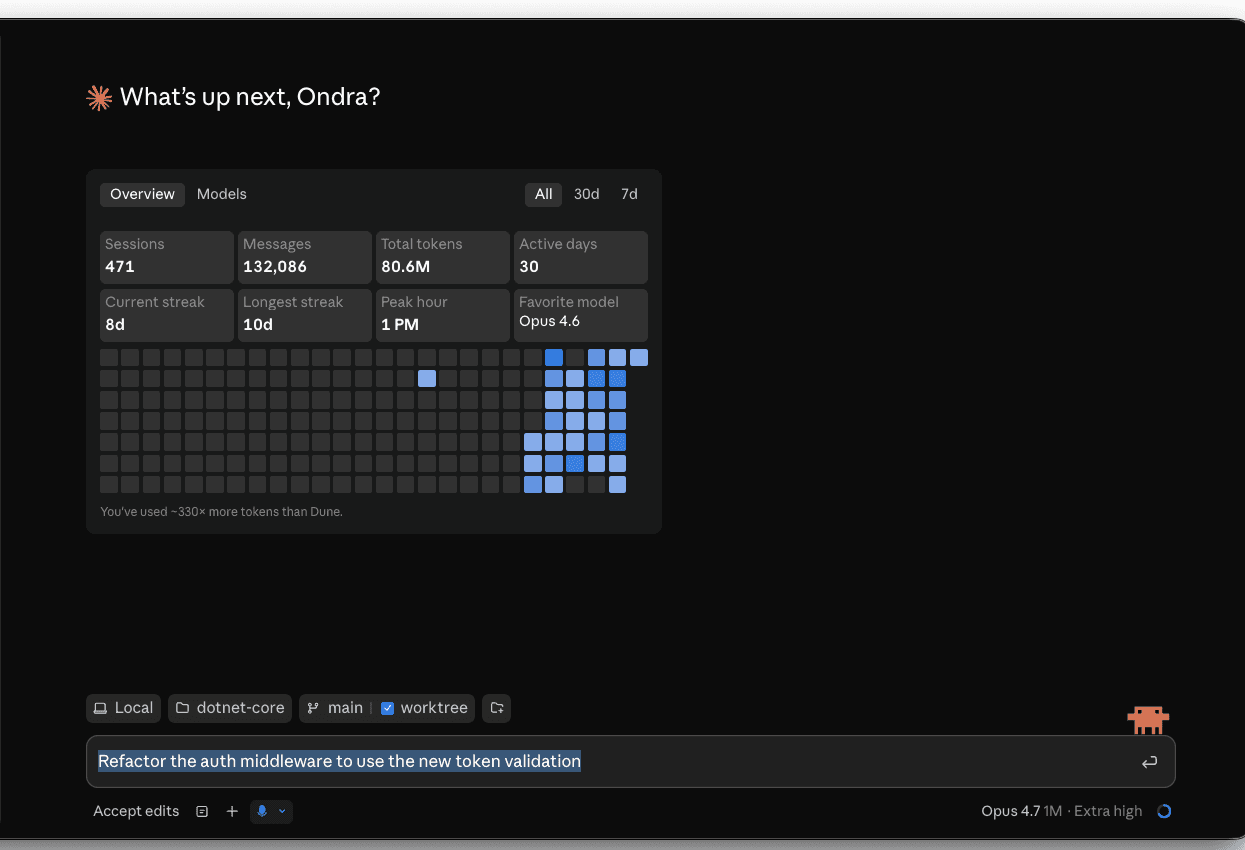
This is the surface most builders use most. No setup, no third-party tools, transcription is already good. The one trick worth knowing: dictate the rough thought, then edit the transcript before sending — voice + light edit beats voice-and-send every time.
Terminal — /voice is built in
Claude Code's terminal CLI has voice dictation built in. Run /voice once to enable it.

After that:
- Hold mode (default) — hold
Spaceto record, release to insert the transcript. Review, edit if you want, pressEnterto send. - Tap mode —
/voice tap. TapSpaceto start, tap again to stop. Auto-submits when the transcript is at least three words.
Two things make /voice better than a generic dictation tool:
- Tuned for coding vocab.
regex,OAuth,JSON,localhosttranscribe correctly. Your current project name and git branch are added as recognition hints automatically. - Twenty languages including Czech. Set in
/configor your settings file. Defaults to English.
Audio streams to Anthropic for transcription (not local). Free — doesn't consume tokens or count toward /usage limits. Requires a Claude.ai account (not API key / Bedrock / Vertex / Foundry). Doesn't work over SSH or remote sessions — needs local microphone access. Available since Claude Code v2.1.69; tap mode since v2.1.116.
Terminal — system-wide alternatives
/voice is the right default for the terminal. Reasons to add a system-wide tool on top:
- You also dictate into the desktop app, browser, Slack, your editor — one tool everywhere beats per-app mics
- You're on an API key / Bedrock / Vertex setup where
/voicedoesn't work - You want local-only transcription for privacy reasons
Wispr Flow ↗ is the popular default — quiet, hold-a-hotkey, types the transcript into whichever app is foreground. Free tier handles most builder volume.
Super Whisper ↗ runs Whisper locally. Same hotkey-driven flow. Choose this when privacy matters more than Wispr's UX.
macOS Dictation ↗ is the zero-install baseline (Fn Fn by default). Use it to confirm your hardware works before paying for anything; not the daily driver.
Mobile — your phone is your terminal
The Claude iOS and Android apps both have native dictation. The interaction shape is different from desktop: you're usually one-handed, often walking, often capturing a thought rather than executing a task.
Mobile is where voice does its most distinctive work — you couldn't have typed that prompt; you wouldn't have opened a laptop to capture the thought; voice is what makes the capture possible at all.
Browser — claude.ai web
The web app at claude.ai has a microphone button identical to the desktop app's. Use this when you're on a borrowed machine, on Linux, or in an environment where you don't want to install the app.
Multimodal — the screenshot is part of the prompt
Voice expands what you can say to Claude. Multimodal expands what you can show.
A pasted screenshot is a prompt's missing context made visible. Three places it lands harder than any equivalent paragraph:
Design review — show the mockup, ask the question
Drag a Figma export or screenshot of the page into the prompt. Ask: "Wire this up against my existing components." Claude reads the visual, names the components it sees, asks about the ones it can't infer, and writes the JSX. You skipped the description-of-the-mockup paragraph entirely.
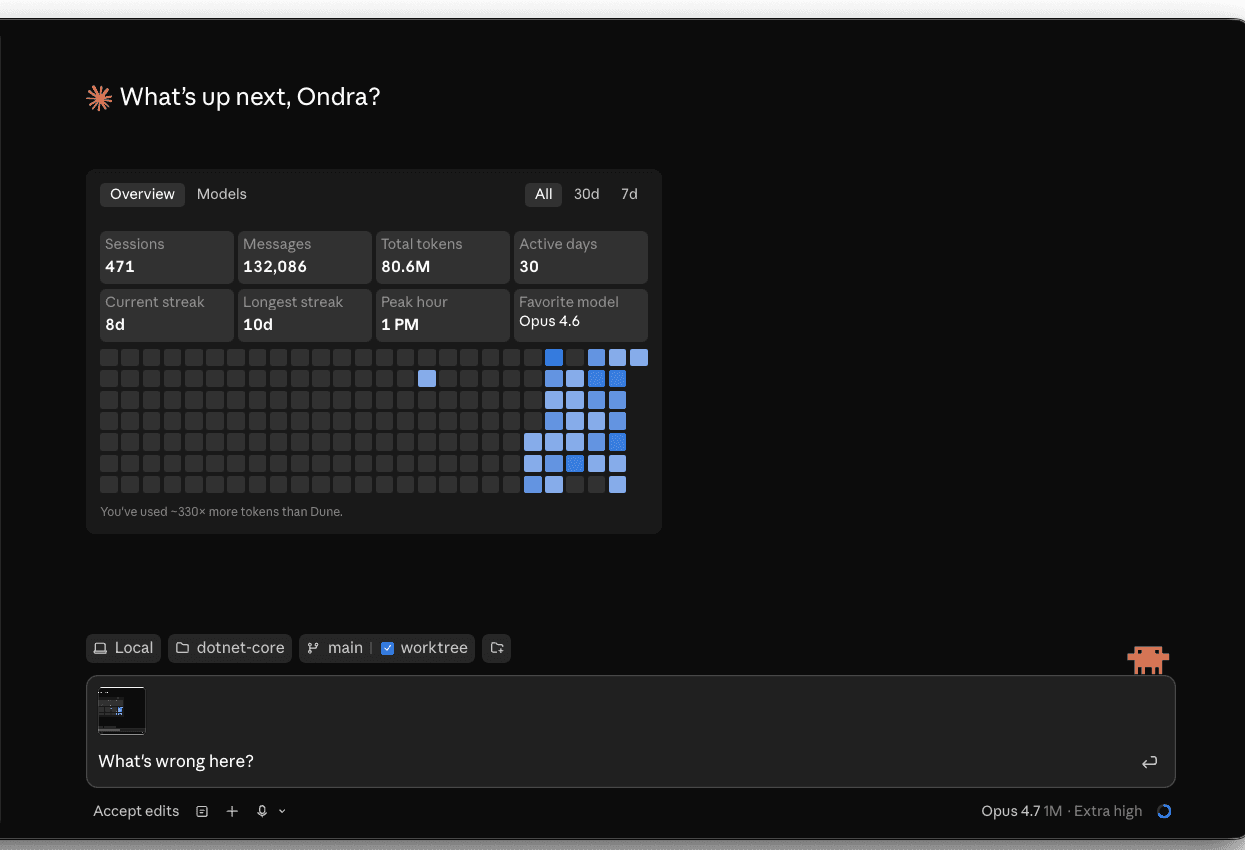
Error debugging — show the error, skip the transcription
Stack trace in your terminal? Browser devtools panel with a network failure? Don't transcribe it. Screenshot it (Cmd+Shift+4), paste it into Claude, ask "what's going on?" The error gets read with surrounding context — the line numbers, the colors, the full call site — that copy-paste loses.
Mockup → code — sketch on paper, photo, ship
Sketch a UI on paper. Snap it with your phone. Paste into Claude. Get a working component. The fidelity isn't art-school; the workflow is real and saves an hour vs. a Figma round-trip.
One workflow that ties them together
The pattern that compounds most: voice the goal, paste the artifact, type the constraint. Three modalities, one prompt:
(voice) "Add a metrics dashboard to this page." (paste screenshot of current page) (type)
Use the existing /lib/metrics queries; new component goes in app/components/metrics-card.tsx.
Voice carries intent. Paste carries context. Type carries the precise reference. None of the three alone produces what the three together do.
Prompting shifts under voice
Voice changes how a prompt sounds. The substance shouldn't change, but the surface does.
- Spoken prompts run on. Edit the transcript before sending — break it into sentences, drop the "uh"s. Two seconds of editing doubles a voice prompt's quality.
- Filenames don't dictate well. Speak the intent, type the path. "Add validation to the prompt component" + then edit in the file path.
- Lists rarely survive dictation. If you're listing 4 things, type them. If you're describing a goal, voice it.
- Voice is less compressible than text. A 30-second voice prompt is often a 3-sentence text prompt with filler. Both work; the text version is faster to read on review.
When the surface matters
Different work, different surface:
| Work | Surface | Why |
|---|---|---|
| Daily flow on a real codebase | Terminal + /voice | The agent runs there; built-in dictation is coding-aware |
| Dictating into desktop, browser, Slack — anywhere | Wispr Flow / Super Whisper | One system-wide tool beats per-app mics |
| Reviewing diffs, asking "why" | Desktop app | Live transcript, easy to pivot from voice to type |
| Capturing a thought during a walk | Mobile | The thought wouldn't have survived to a laptop |
| Pairing with someone else watching | Desktop app + cast | Voice + visible transcript reads as natural |
| Debugging UI / Figma / mockup | Desktop app + paste | Multimodal lives there |
Practice: a one-prompt cycle
Try this once, on a real task, today.
- Open the Claude desktop app. Pick a small feature from a real project — something you'd normally type out a prompt for.
- Voice the goal. Click the mic. Say what you want, the way you'd say it to a colleague. Don't try to phrase it like a prompt.
- Paste a screenshot of the relevant page or file (Cmd+Shift+4 for region capture, then Cmd+V into Claude).
- Edit the transcript before sending. Break it into 2-3 sentences. Add the filename you want.
- Send. Read the diff.
What you'll notice: the voiced part lands the goal the way you actually thought it. The pasted part anchors the context. The edit catches the imprecision. Three modalities, one prompt, in less time than typing the equivalent.
The next chapter — Ecosystem — covers the broader stack: skills, MCP servers, plugins. Voice and multimodal are the input layer; that chapter is the surrounding tooling.